As me, as you.
Avatar State Machine Interface
A chatbot with a face for your site - it answers your visitors' questions, shifts expression as the conversation shifts, changes appearance like a person at work, and carries the specific knowledge your business needs it to know.
See it built
From blank canvas to live avatar, in two minutes
A short walkthrough of the full build — from the setup wizard to the deployed widget. Prefer to click through it yourself? Use the tour button in the hero above.
A reactive avatar, not a static one.
Most AI chat widgets are a text box pretending to be a conversation. ASMI puts a real avatar in their place - one whose expression shifts as the conversation shifts. You design the avatar in a visual editor: shape a set of states, generate expression frames, test the behavior in a simulator, and choose the looks it should wear in different situations.
The avatar drops into your site as a chat widget. You keep your LLM - ASMI sits next to it, reading its output to classify sentiment and intent, and drives the avatar's face in real time based on what the model just understood about the visitor.
The new version adds the first backend layer too: an avatar database for public or private business knowledge. That gives the avatar a controlled knowledge source without turning ASMI into a generic chatbot platform.
Avatars can be tested, styled, and taught.
Simulator. Test the deployed avatar inside the editor before you put it on a real site. It uses the same runtime path as an installed avatar, so the state machine, expressions, looks, and knowledge can be checked in a closed environment.
Wardrobe and looks. Create reusable hair, clothing, and accessory presets, then apply them across the expression set. The same avatar can appear in workplace clothes, seasonal looks, event styling, or a daily rotation instead of being locked to one outfit.
Avatar database. Publish specific product, company, or support knowledge to the avatar. Deployed implementations can retrieve that knowledge as part of the host site's own LLM flow, giving ASMI the first practical RAG layer in the toolchain.
Gallery sharing. Shared avatars can now showcase their enabled looks and public knowledge snapshot, so the gallery reflects what the avatar can actually do instead of only showing a baseline portrait.
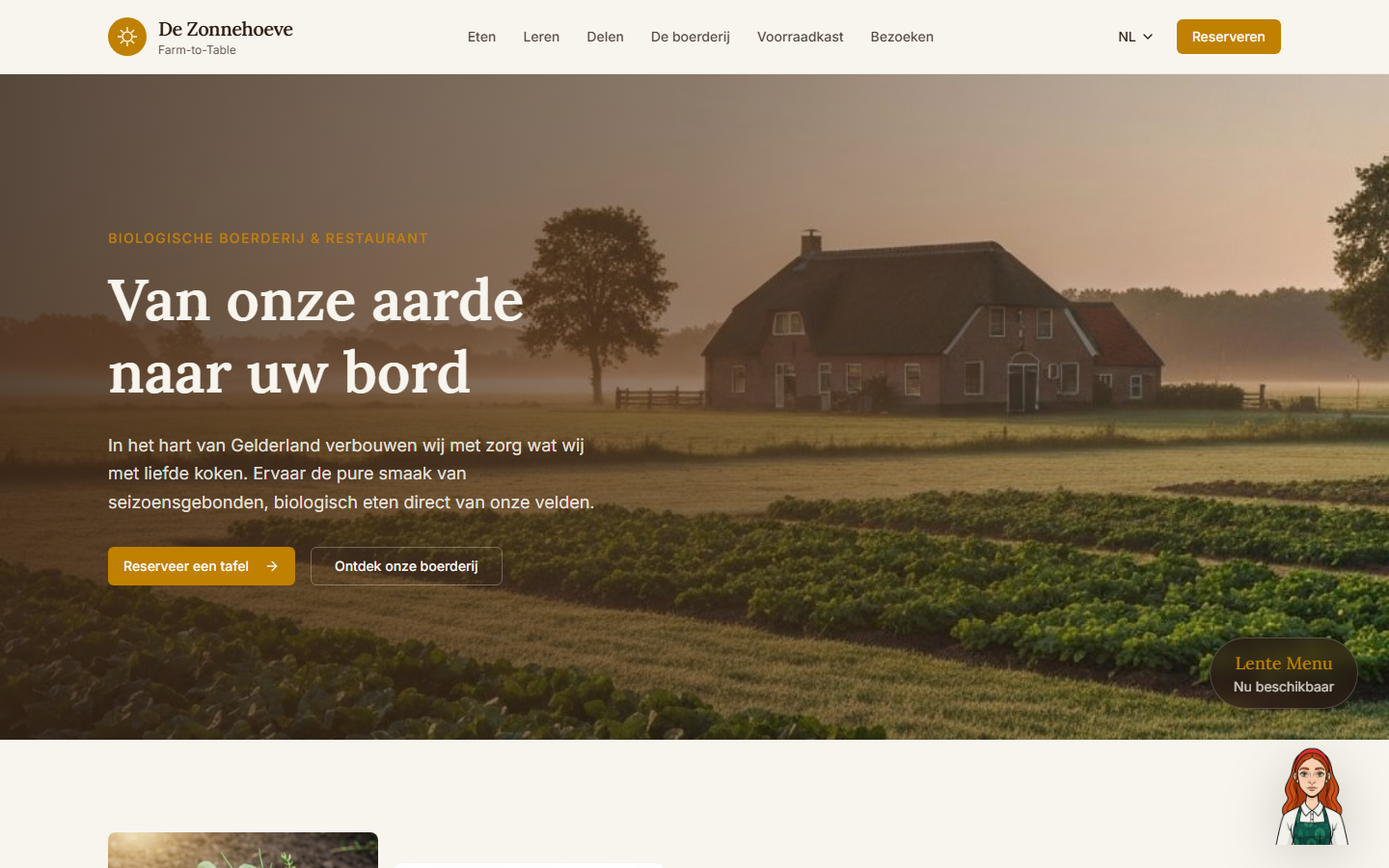
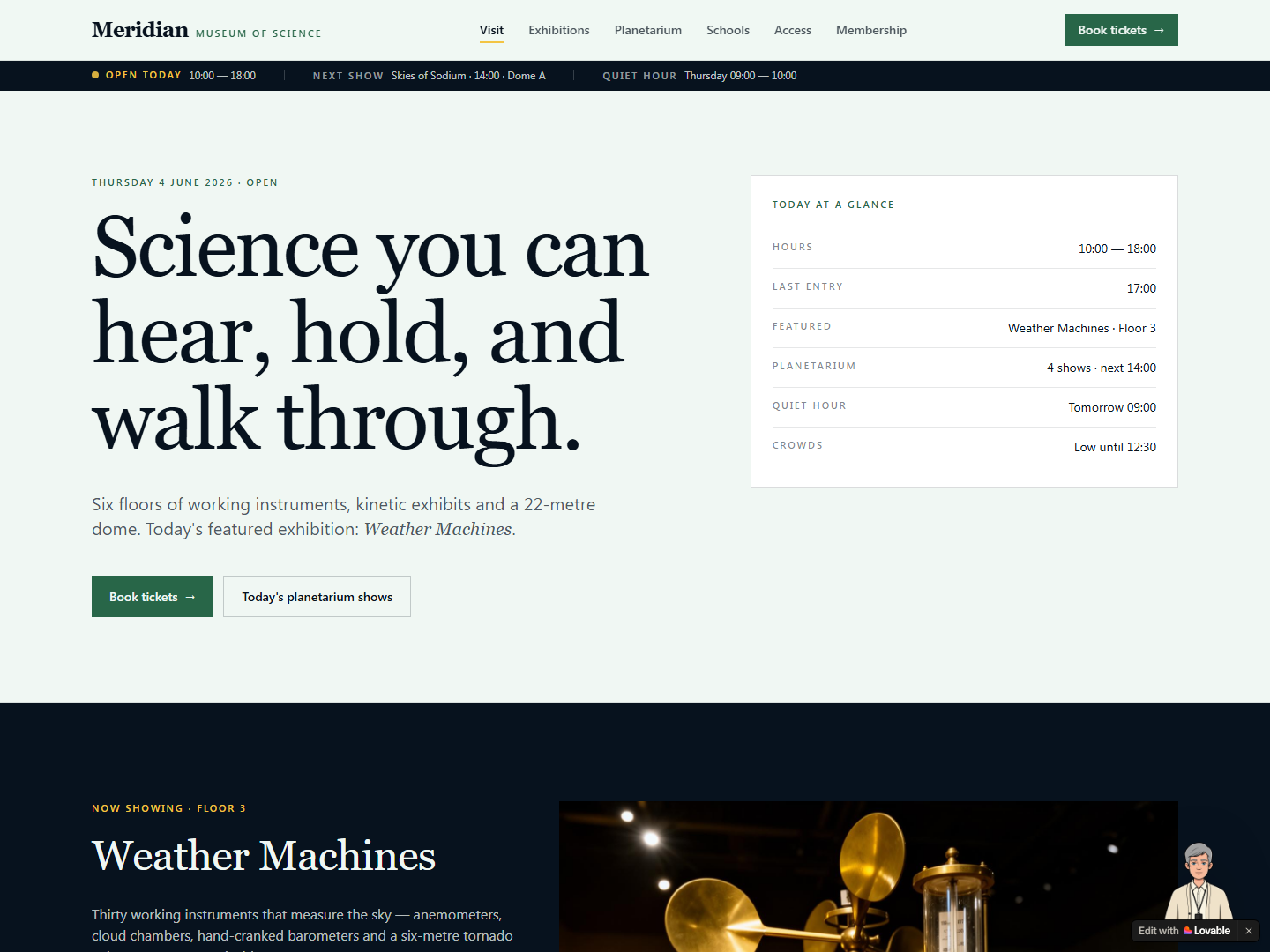
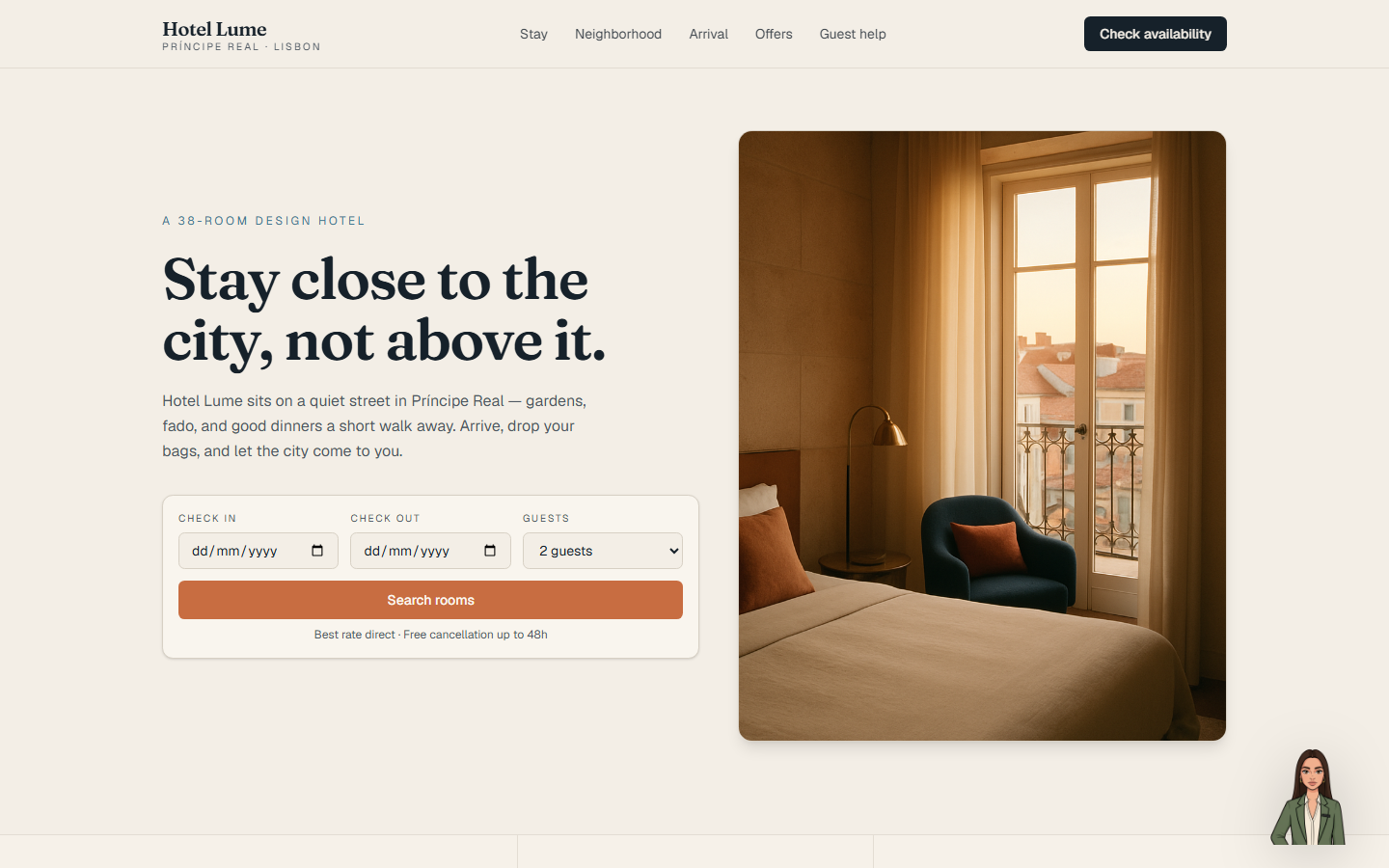

Interfaces shaped by what used to be great.
The current generation of AI web-build tools are extraordinary. A single person can ship a polished site in an afternoon. The designs they produce, though, look backward - they specialize in what was great in retrospect: forms, tables, modals, a chat bubble tacked on at the bottom-right. The UI metaphors are from a decade ago, just better-dressed.
AI has moved faster than that. The models on the other end of those chat bubbles can follow real conversations now - hold context, pick up tone, notice frustration. The interface has not kept up. A smart model behind a dead text box is a narrower channel than it has to be.
I think this is where interfaces are heading: step by step, away from form-and-submit and toward something conversational and human-like, that anyone can understand without learning a product. ASMI is my first contribution in that direction - the smallest honest step I could ship. Give the AI a face that reacts. See what becomes possible when the interface itself behaves a little more like the conversation it is holding.
Three steps.
Design. Open the editor. Build the baseline identity, generate expression frames, create wardrobe presets, and decide which looks are active for normal use or events.
Test. Use the simulator before deployment. Ask questions, watch the state machine react to detected sentiment and intent, and confirm that the avatar database answers from the knowledge you published.
Deploy. Connect the avatar to your site with the ASMI runtime and React package. The host site's LLM handles language; ASMI supplies the avatar definition, expression assets, appearance rules, and knowledge retrieval surface.
Teams building conversational AI into their product.
SaaS companies putting an AI assistant into their onboarding flow, support copilots that need to feel less mechanical, dev tools with embedded agents, consulting and services businesses whose landing page deserves a proper front door. If your AI replies are smart but the interaction still feels cold, ASMI is aimed at you.
The avatar runs on your site, using your LLM provider of choice. You bring the brains; ASMI shapes how the visitor experiences the exchange.
- Not a lip-sync video system.
- If you want a photorealistic head reading pre-written scripts, HeyGen and Synthesia are built for that. ASMI is reactive, not performative - the avatar responds to what the conversation is actually doing, in real time.
- Not a replacement for your LLM.
- The intelligence stays where you already chose to put it. ASMI reads the LLM's output, classifies it, and drives the avatar from there. Your model, your prompts, your runtime - ASMI sits next to them, not on top.
- Not a drop-in chatbot.
- ASMI is a design surface, not a pre-built assistant. You decide what your avatar knows, how it speaks, what it wears, and what it is allowed to do. The upside: no generic-chatbot feel. The trade-off: you set the scope.
Build the front door your product deserves.
Start with an avatar, test it in the simulator, add the knowledge it needs, and share the result when it is ready. Examples in the gallery, full technical reference on the developer page.

A product by Broentech Sentinel.