
Ship
Implementing with v0
v0, Vercel's coding agent, is the third way to ship — and if you've read the last two chapters you already know how it goes. Connecting its MCP looks almost exactly like base44 (a custom MCP server authenticated with an x-api-key header), and what the agent then builds runs the way the Lovable chapter described — a normal app on your own stack. So this chapter is just the v0-specific connector steps; deploy, build, and the rest carry over.
Connecting the ASMI MCP
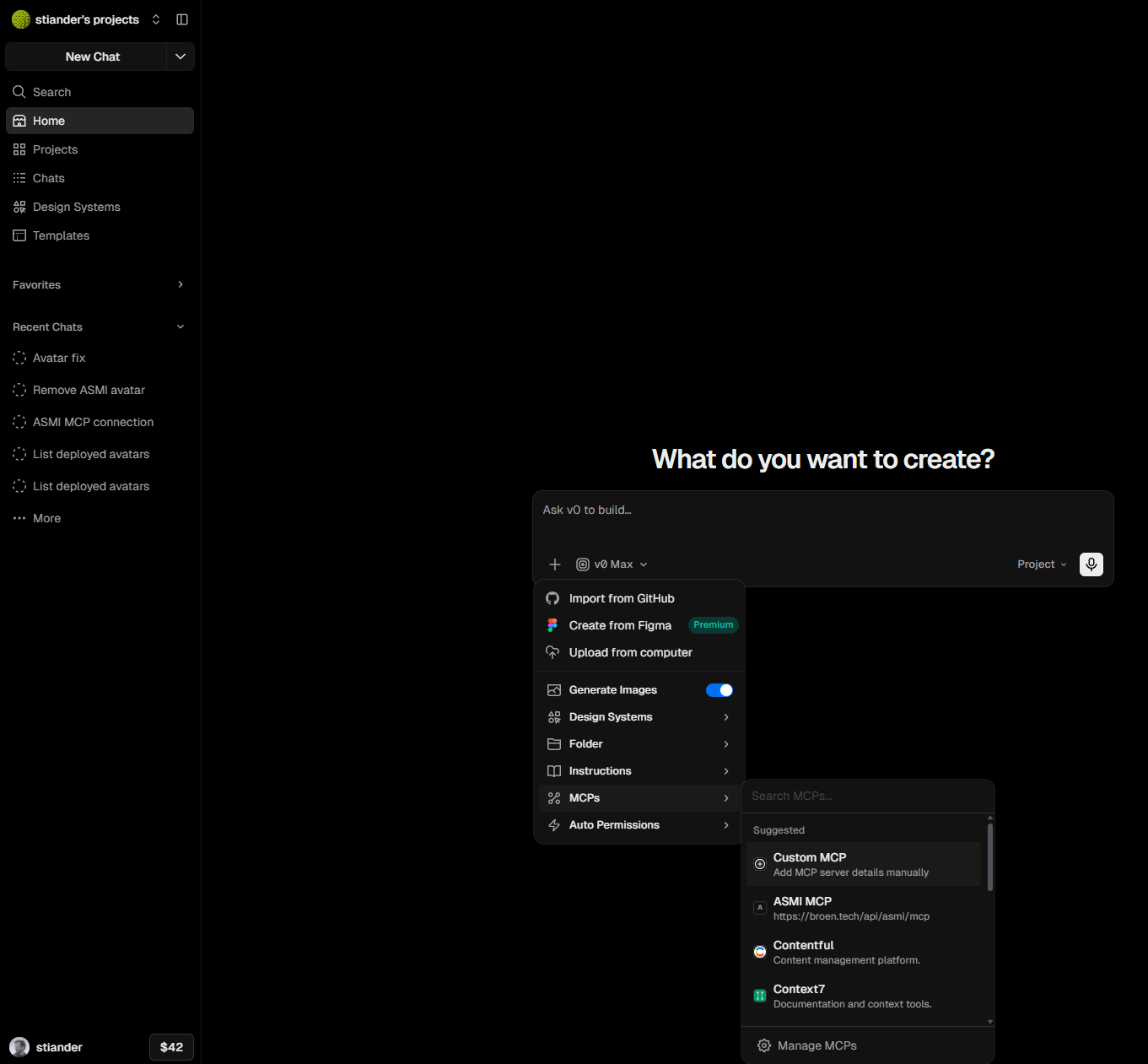
In your v0 portal, open the + menu in the prompt box, hover MCPs, and click Manage MCPs.
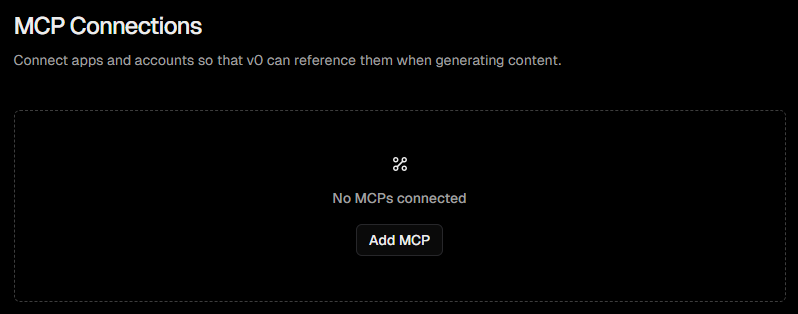
On the MCP Connections page, click Add MCP.
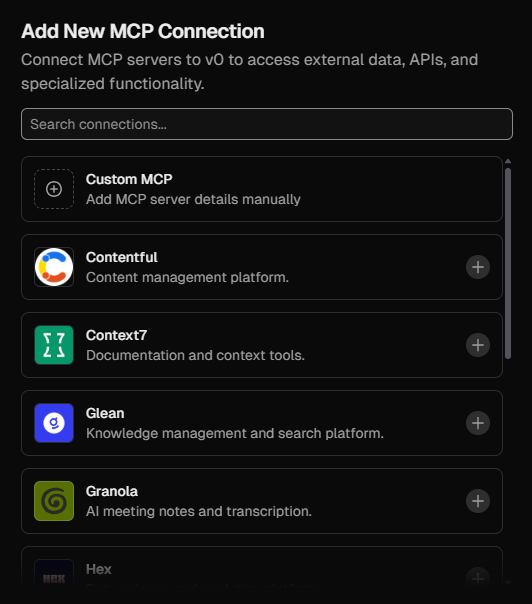
In Add New MCP Connection, pick Custom MCP at the top of the list.
Fill in the dialog much as you did for base44: Name (ASMI), URL (https://broen.tech/api/asmi/mcp), set Authentication to Headers, and add a custom header — key x-api-key, value your auk_… MCP API key. Click Add.
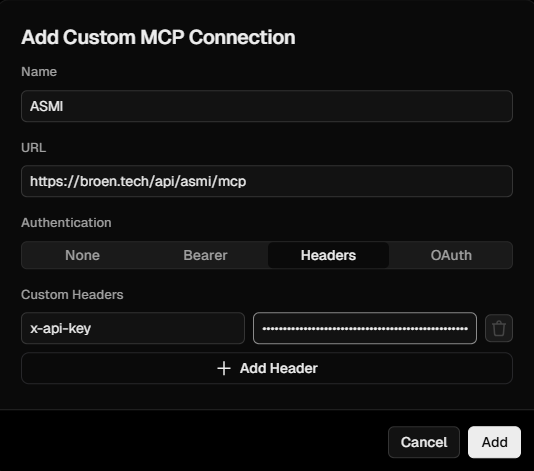
That's the whole difference. v0 gives you an explicit Headers auth mode (alongside None / Bearer / OAuth), so there's nothing to improvise — pick Headers, paste the key, done.
The v0 wrinkle — context limits
Where Lovable's quirk is response truncation, v0's is its context budget: long sessions hit "Maximum context limit reached", and a session that spends its budget re-reading clipped docs can run out before the integration is done. The fix is one instruction up front — tell the agent to save the docs to project files first:
Call
get_embedding_guideonce and write the full response todocs/asmi/embedding-guide.mdbefore reading it. Do the same forget_runtime_docs. Then implement from those files, reading them in sections.
The embedding guide itself opens with the same advice, and the avatar definition is always recoverable over plain HTTP via the definitionUrl in the get_avatar response — so nothing the agent needs is ever locked behind a clipped tool response.
Build it, and where the LLM runs
Back in the prompt, ask the agent to implement the avatar — "Implement Sanela from ASMI" — and the Lovable chapter takes over from there: the agent reads the blueprint and embedding guide over MCP, writes the integration, and you run a security pass before publishing.
One contrast worth noting against the previous chapter: v0 generates a standard app you deploy on your own stack, so the avatar's responses run on your own LLM key, exactly like the Lovable path — there's no base44-style built-in InvokeLLM here, and none needed.
What comes next
That closes the implementation trio — Lovable, base44, and v0 — but the pattern isn't limited to them: any MCP-capable coding agent follows the same shape (deploy → connect the MCP server → "Implement X from ASMI" → verify against your recorded happy-path). The remaining chapters step back from the how-to and go under the hood: where generative AI actually does the work across the editor, and the user journeys ASMI 1.1 is built around.