
Build
Make a new avatar
Every avatar starts at the dashboard. The "New avatar" button is in the top right; you land here every time you sign in, and the row above it lists everything you've already built.
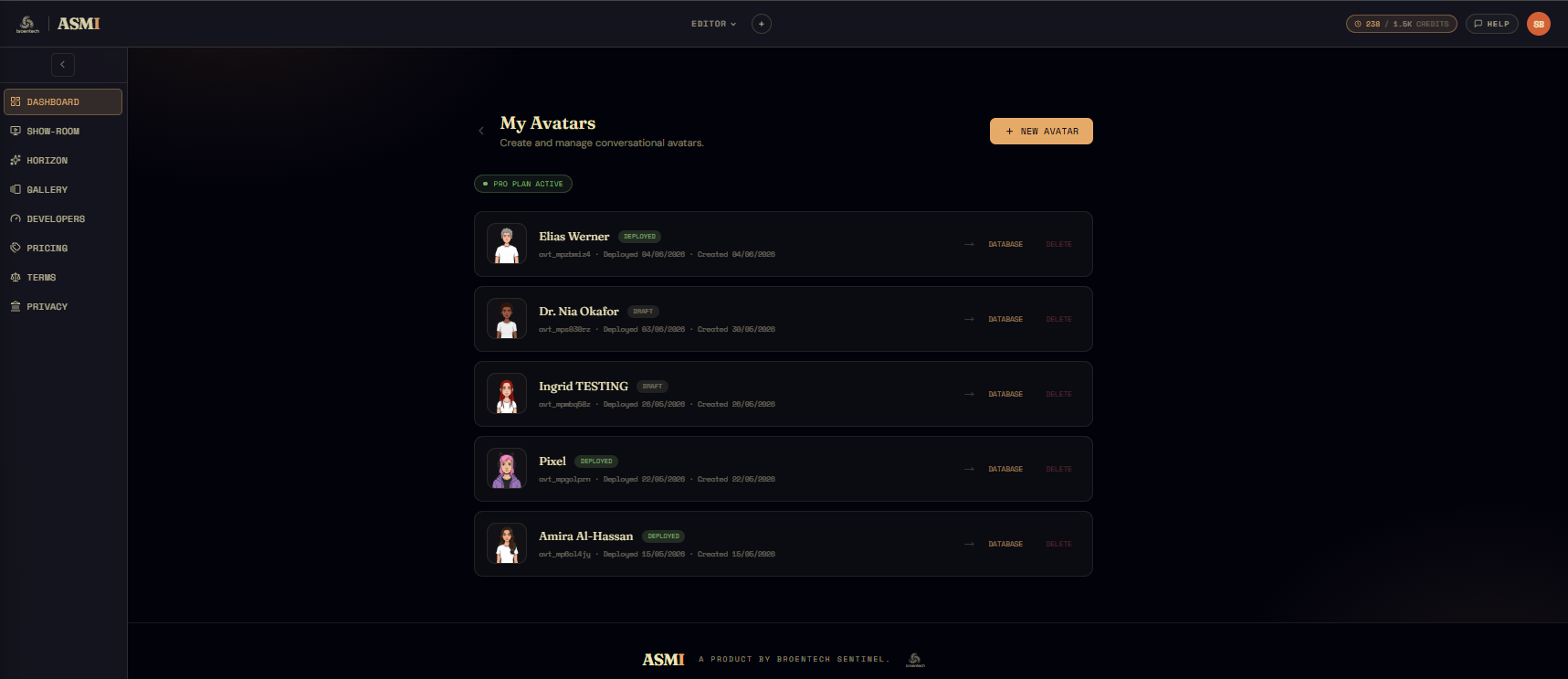
The wizard that opens after you click it is short — three sections (Setup, Voice, Awareness) and you're in the editor. Before any of that, though, it asks how you want to start: from a file, from a copy of a gallery avatar, or from a blank slate.
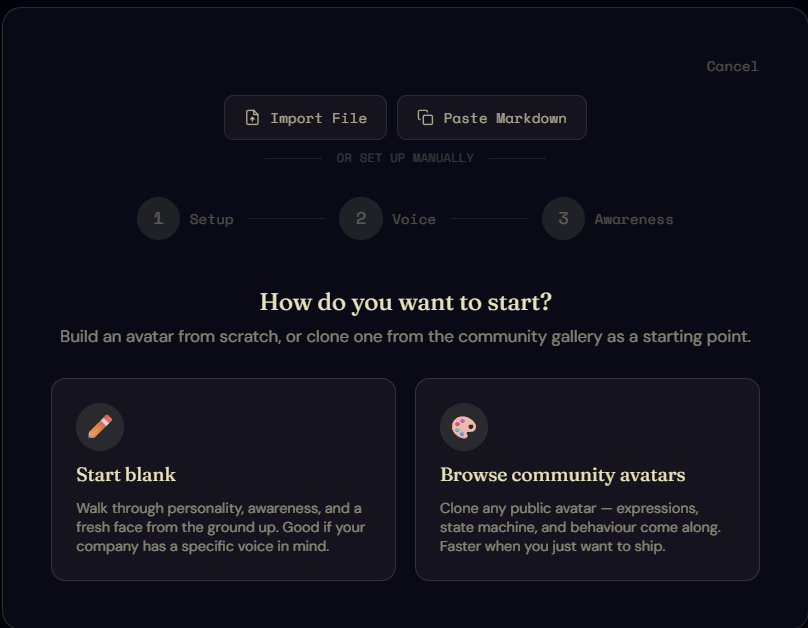
Three ways to start
1. From a markdown file
The fastest path when you already know what you want. Hand the wizard a single markdown file with the avatar's whole shape — name, company context, brand voice, awareness, the seed for the state machine — and it imports the lot and drops you straight into the editor, skipping the rest of the wizard.
The format is strict (the editor expects every field in its expected place), but the structure is human-writable, and it's the shape a generative AI like ChatGPT or Claude will produce if you paste the schema and ask for it. I keep canonical examples in the repo for reference; juno-park.md is a good template for a developer-tools support persona.
2. From a gallery copy
The gallery lists every avatar people have chosen to share. If one of those faces is close to what you want, clone it as your starting point — you bring its appearance with you, but the rest of the wizard still runs, because you'll need your own company context, brand voice, and awareness. The avatar's behaviour is yours; only its look is borrowed.
3. From blank
The most common path, and the one the rest of this page walks through. Nothing is predefined. Every field starts empty.
Setup
The first wizard step asks for company context.
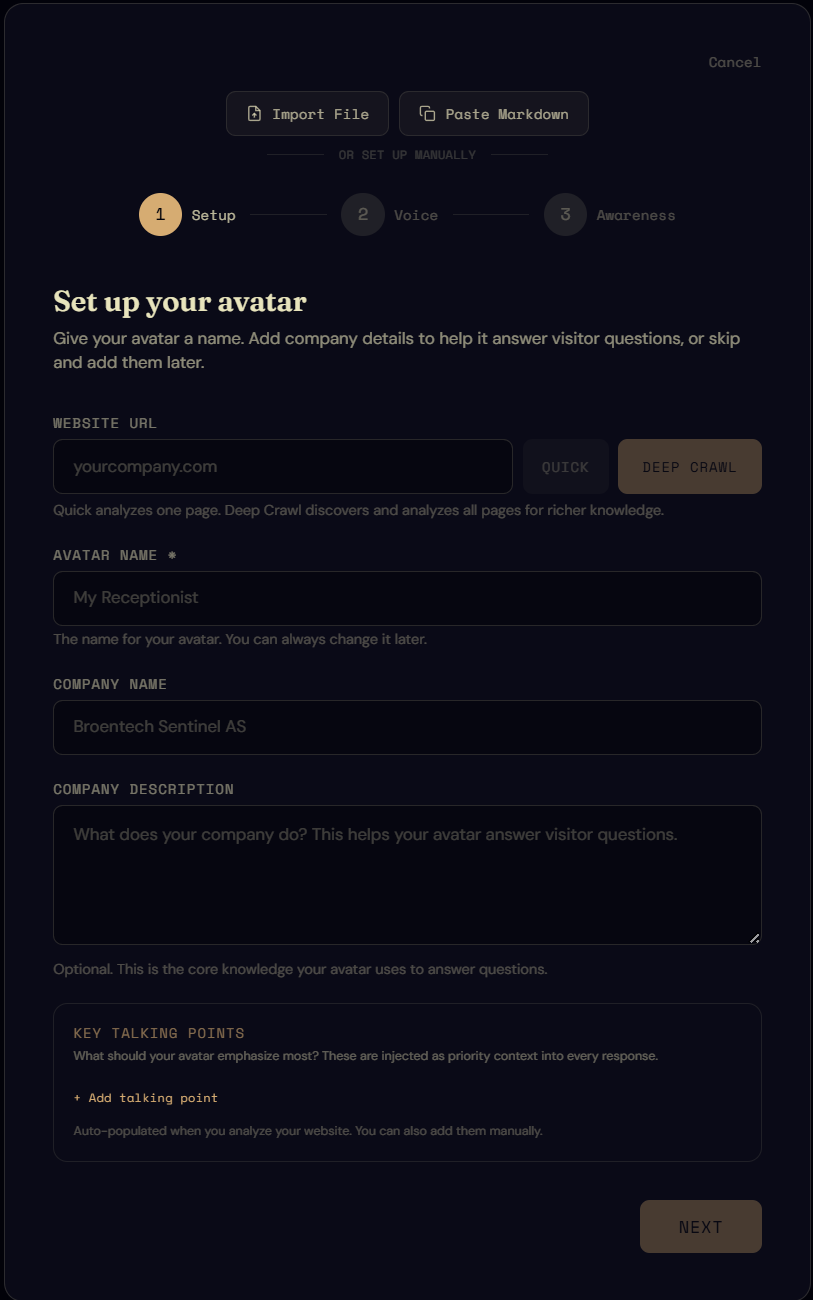
At the top is a single input — the URL of the website where this avatar will eventually live. Paste it and pick Quick (a shallow read of the landing page) or Deep crawl (subpages included). I recommend the deep crawl: it takes a few seconds longer and produces noticeably better default values for everything below. You can also skip it entirely and type everything yourself.
Here's what the deep crawl produced when I pointed it at this very site:
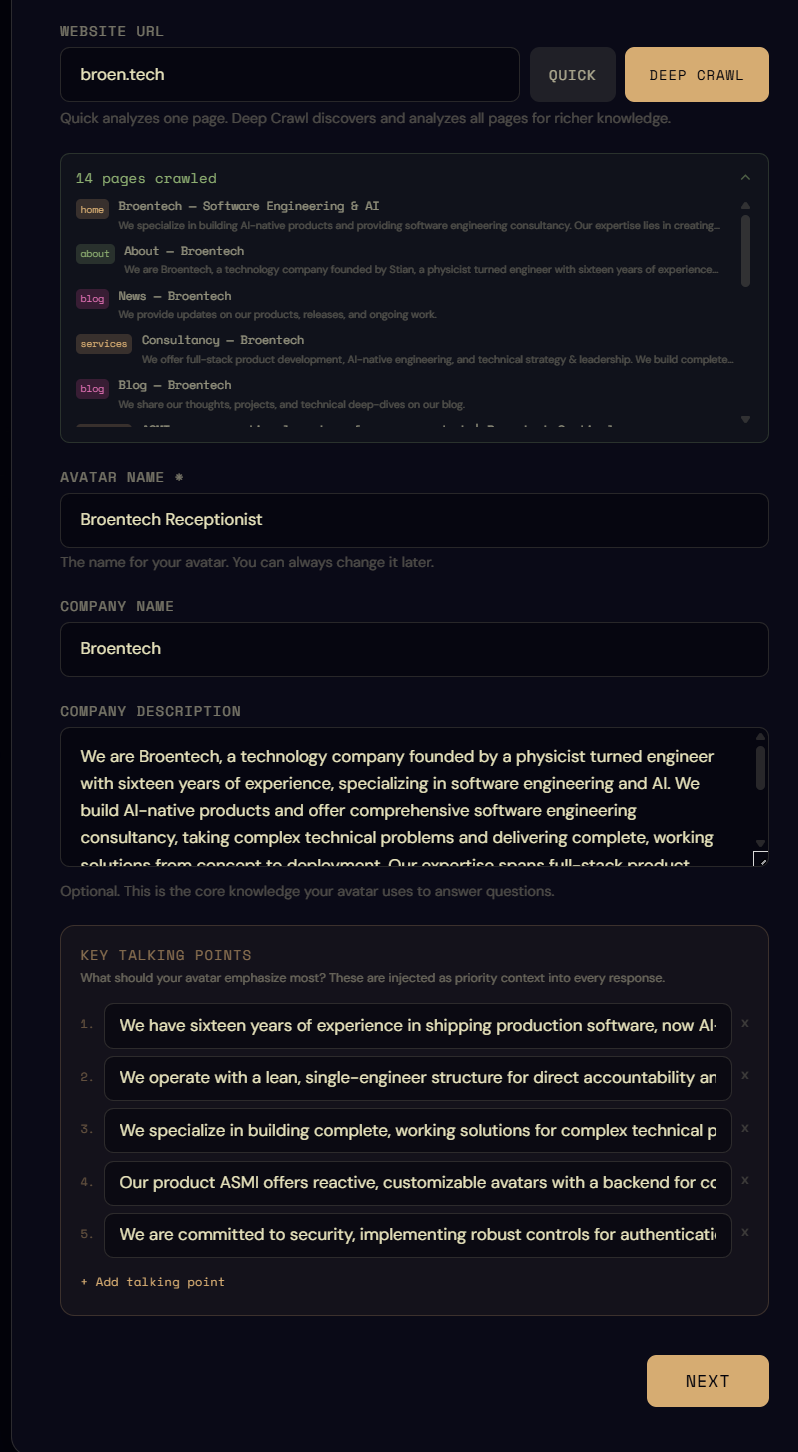
Three things show up automatically:
- An avatar name, always
BRAND_NAME Receptionist. Replace it with something specific. A name that sounds like a person who works at the company beats a job-title placeholder every time. - A company description, pulled from the actual content the crawler found. Read it; it's often closer to what your copywriter would write than you'd expect, but it's still a proposal, not a verdict.
- A list of talking points, what the crawler thinks the brand emphasises. Keep what fits, delete what doesn't.
Everything here is editable. The crawl is a starting line, not a contract.
Voice
The Voice step is where a generic chatbot tone turns into one that sounds like your brand.
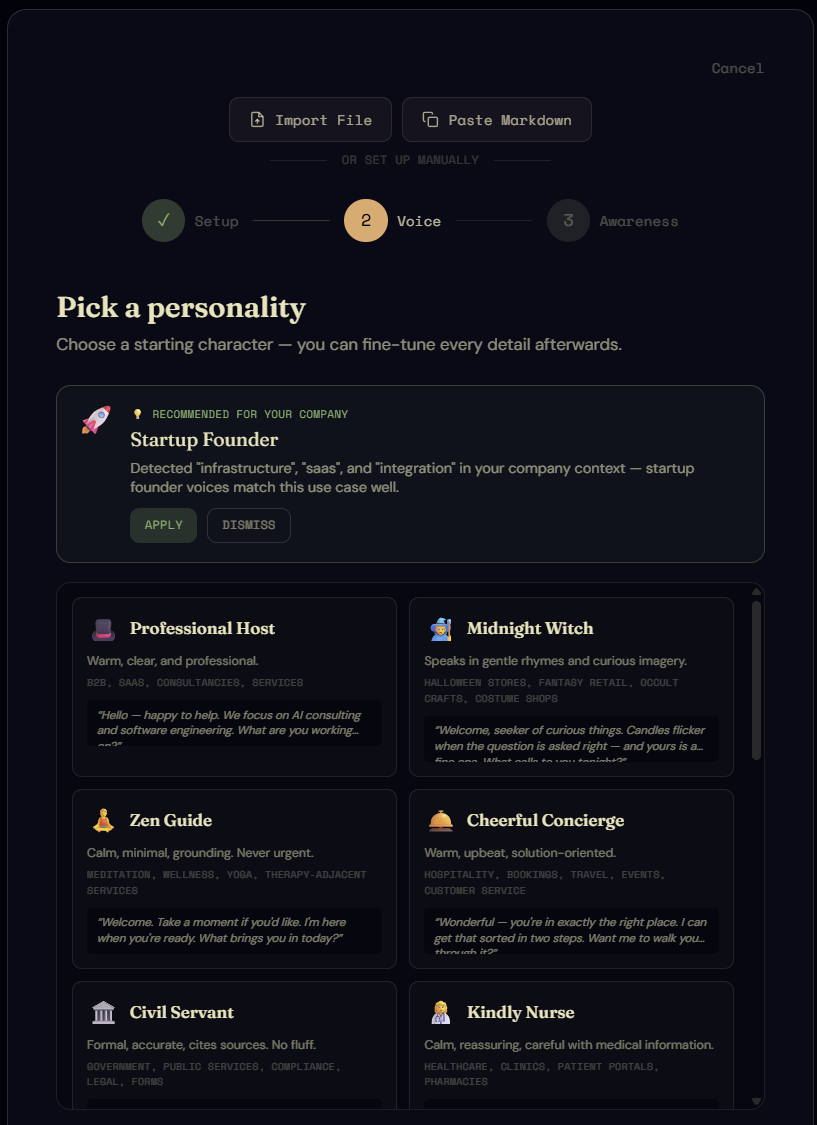
The wizard suggests a personality archetype based on the crawl. Accept it or pick from the full list — these are the same archetypes the runtime compiles into the system prompt on every turn, so the choice has measurable downstream effect.
Below that, pick a language and (optionally) the multilingual toggle. The language setting tells the model which language to default to; multilingual asks it to detect the visitor's language from their first message and respond in kind. The actual capability depends on the LLM you wire in at runtime — you're stating your preference here.
Expand Fine-tune to see the sliders that make up the archetype.
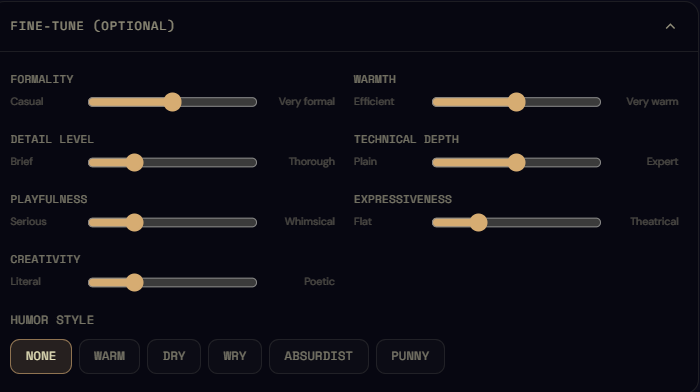
Seven dimensions — warmth, formality, playfulness, technical depth, expressiveness, creativity, humour — plus a free-form persona description. The values pre-populate from the archetype. Push them around if you want a tighter fit; the runtime re-compiles the system prompt to match.
Below the sliders, Voice rules are explicit do/don't instructions the avatar will be told to honour on every turn.
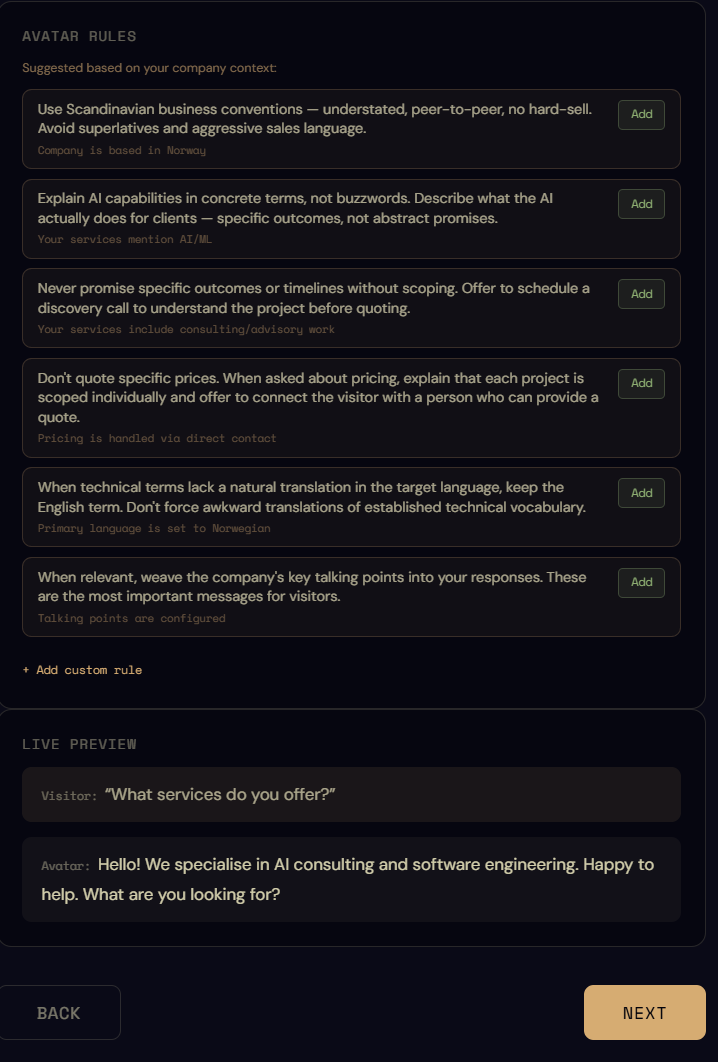
The crawl proposes a few based on what it read on your site. Accept them, edit them, add your own, or run without any. I keep most of the proposals — they're usually fair guesses at the brand's actual ground rules, and an explicit instruction like "never minimise a customer's worry" has measurable effect on response quality.
At the bottom of the section, a tiny sample-response preview shows what the current voice configuration produces. A useful sanity check before moving on.
Awareness
Four switches, each adds a different kind of real-world context to the system prompt at runtime.
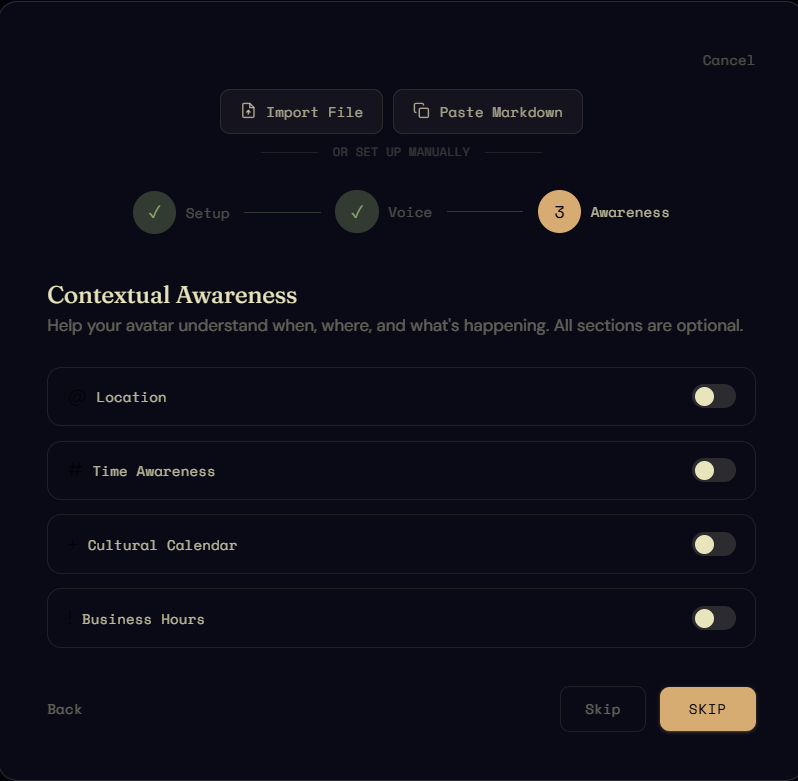
Location awareness
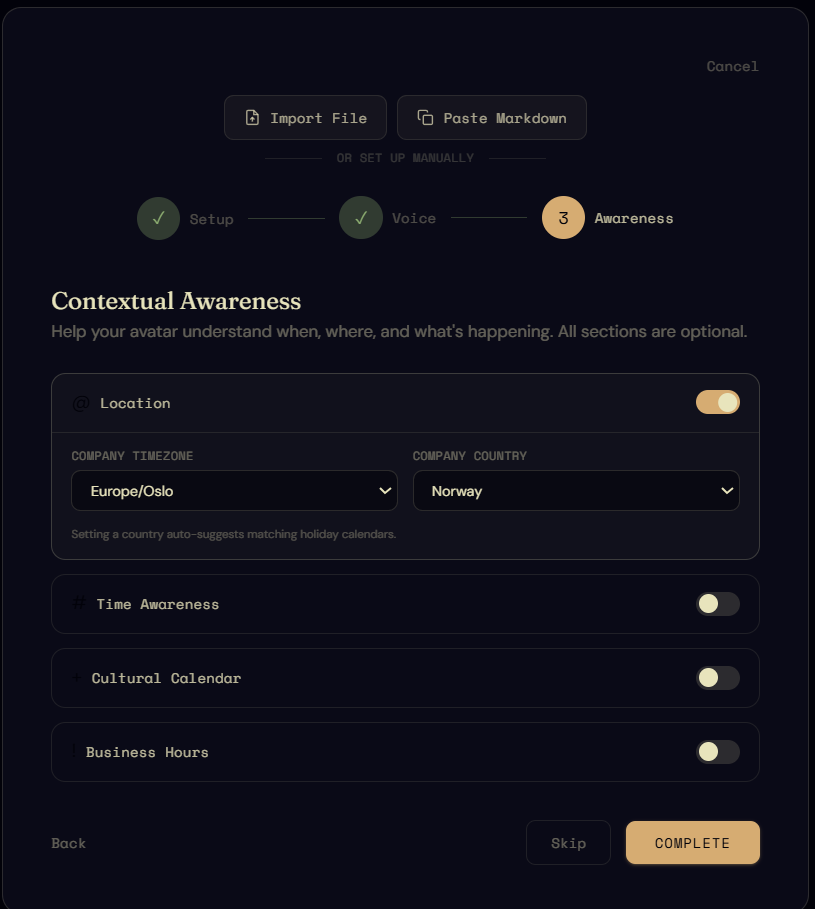
You're telling the avatar which place to claim it's in. If the avatar represents a physical store ("hi, I'm the receptionist at the bike shop in Oslo"), this is what makes that claim coherent across turns. Pick the city; the runtime injects it into the prompt and the avatar uses it for context, not just decoration.
Time awareness
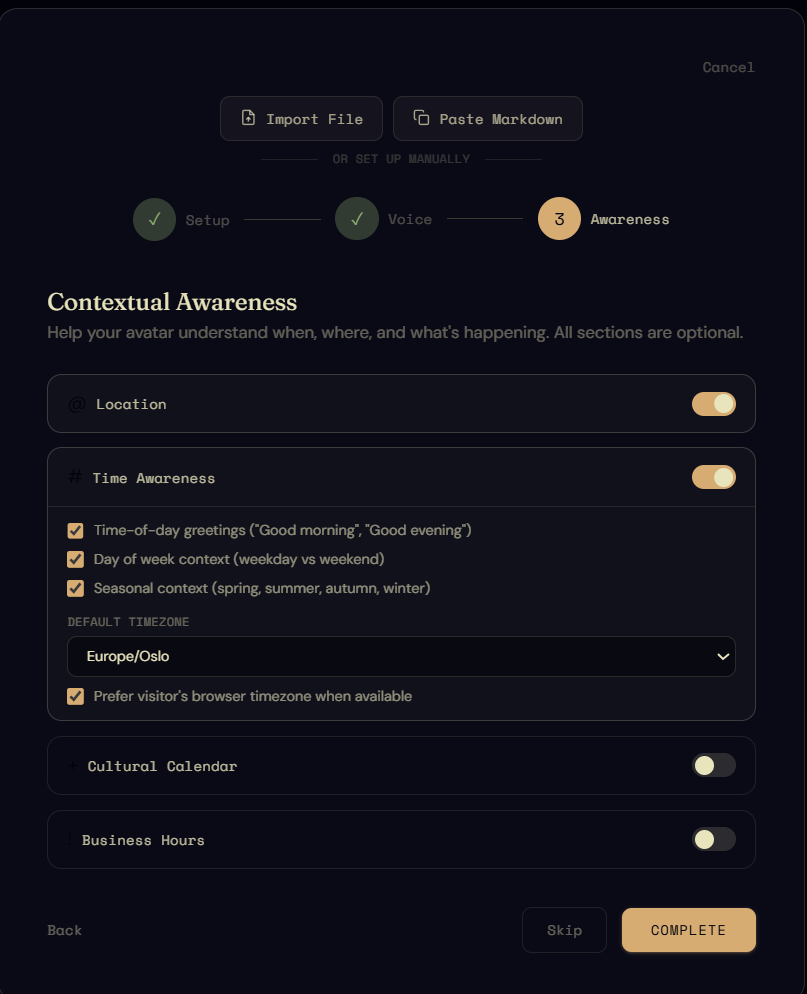
The avatar gets the current time in the configured timezone on every turn. A visitor in a different timezone can still ask "how long until you close today?" — the avatar resolves the comparison itself. Pair this with Business hours below for actual open/closed answers.
Cultural awareness
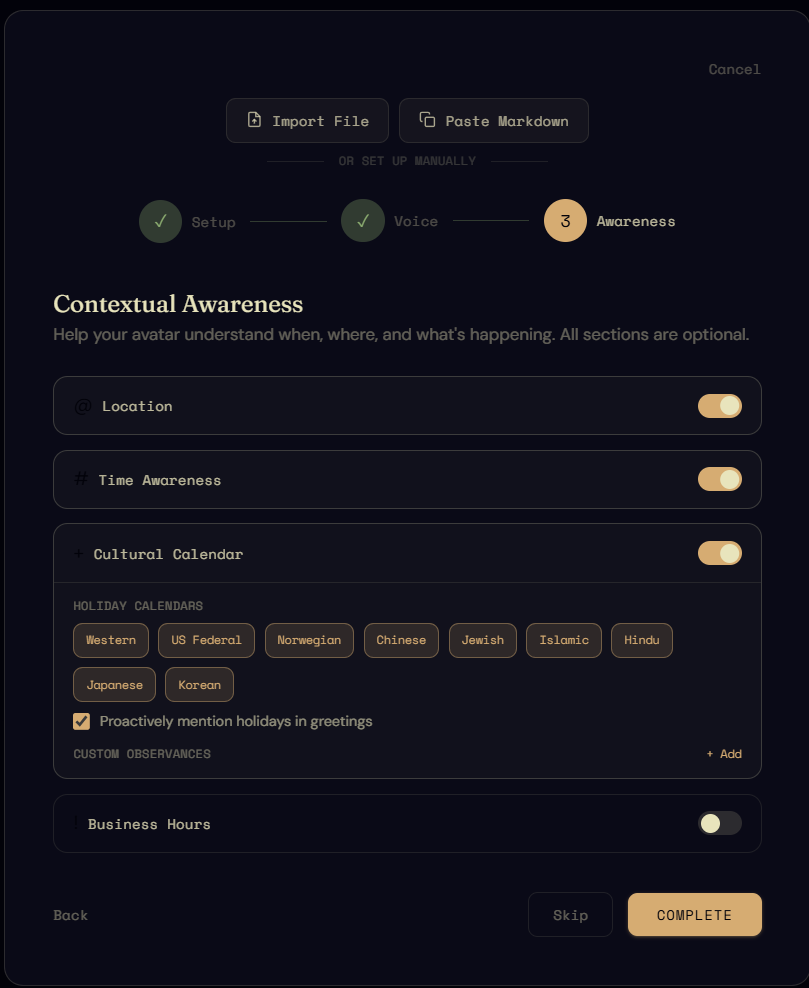
The cultural calendar is where you tell the avatar which dates matter — public holidays, religious observances, brand-specific recurring events. Useful for the obvious cases ("we're closed Christmas Day") and the less obvious ("the school holiday is next week, expect more parent traffic"). The avatar uses these to soften its responses around the relevant dates.
Business hours
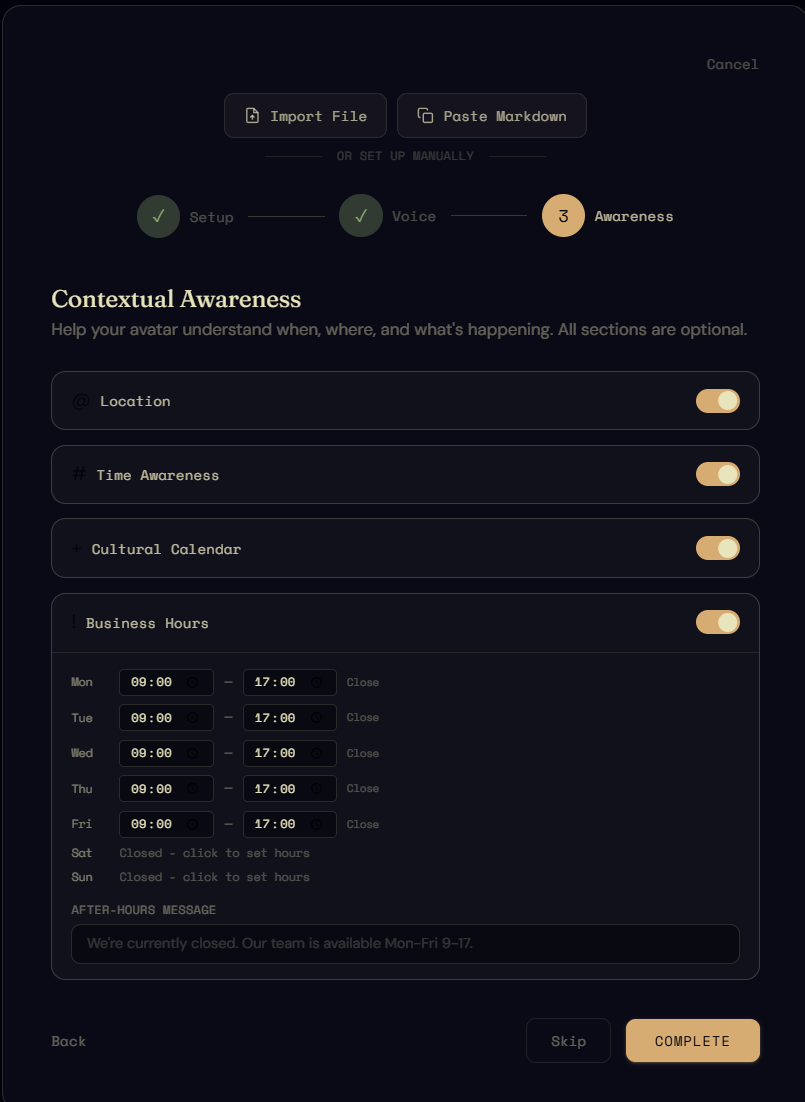
The opening hours the avatar should treat as authoritative. Combined with Time awareness, this is what lets the avatar answer "are you open right now?" without making something up. Override per day, and pull closed dates from the cultural calendar.
Into the editor
Click Complete at the bottom of Awareness and the wizard hands you off. From here on the next chapter takes over: identity, expressions, wardrobe, knowledge, behaviour — all the things that turn a configured persona into a face that holds the same identity across nine expressions and three wardrobes.